Recommendation rules: advanced filtering and rules
Last updated: June 30, 2026
Recommendation rules let you dynamically recommend products in your emails using customizable filters and rule-based logic. This gives you precise control over which products appear for each customer.
Overview
Recommendation rules automatically curate product recommendations based on your criteria. This ensures customers see relevant products while filtering out inappropriate options. The system processes rules sequentially until your specified product count is reached.
Available filters
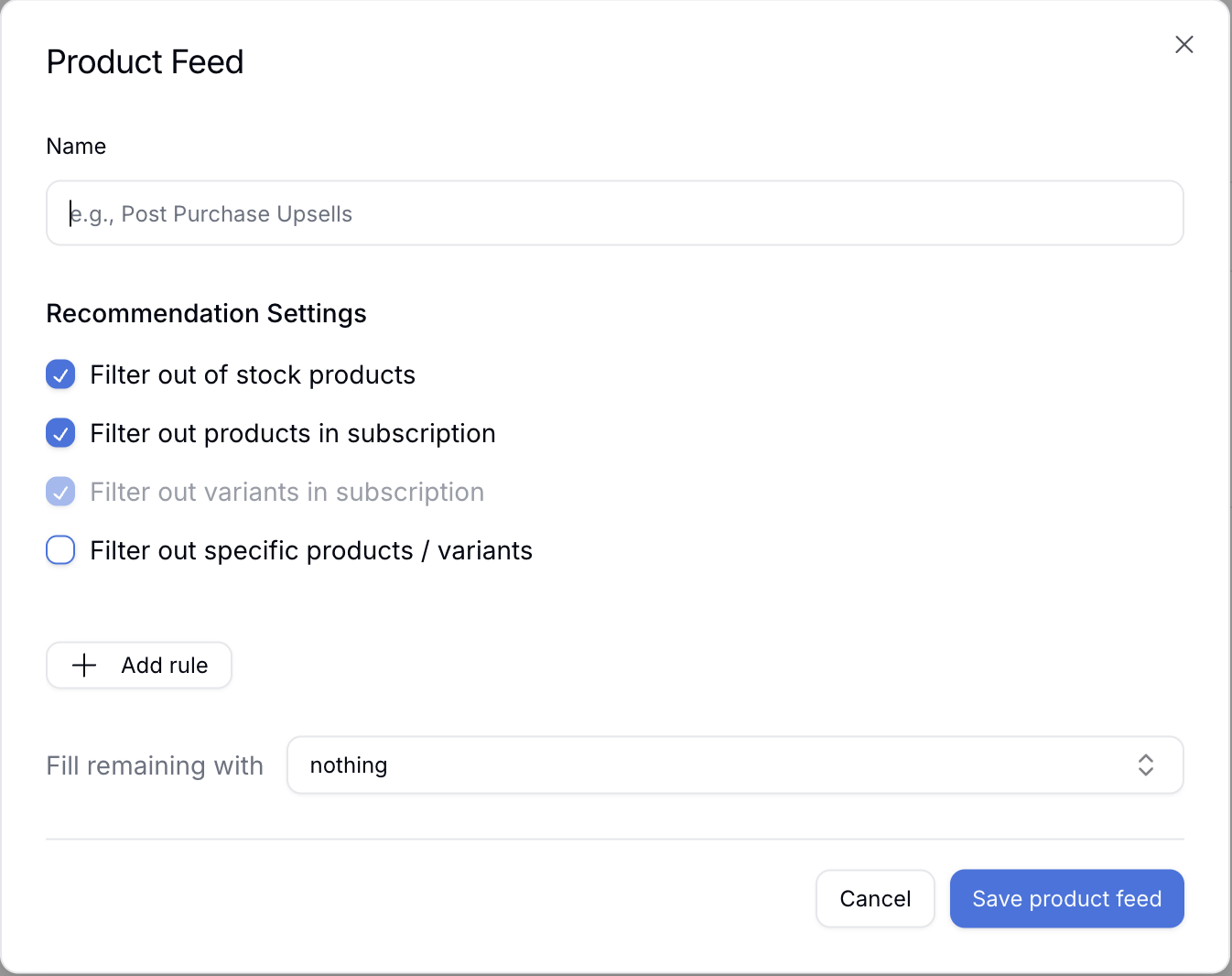
Out of stock filter
Automatically excludes products that are currently out of stock, so customers only see items they can purchase.
Filter out products in subscription
Hides products that a customer is already subscribed to. This prevents duplicate recommendations and keeps the focus on new upsell opportunities.
Filter out variants in subscription
Similar to the product filter above, but works at the variant level. If a customer is subscribed to a specific variant, other variants of the same product can still appear as recommendations.
Filter out specific products or variants
Manually exclude specific products or variants from appearing in recommendations. This is useful for:
Discontinued items still in your catalog
Products not suitable for email promotions
Items you want to promote through other channels
Fill remaining with
Choose what to fill the remaining products in the grid with if the rules do not fill all grid slots.
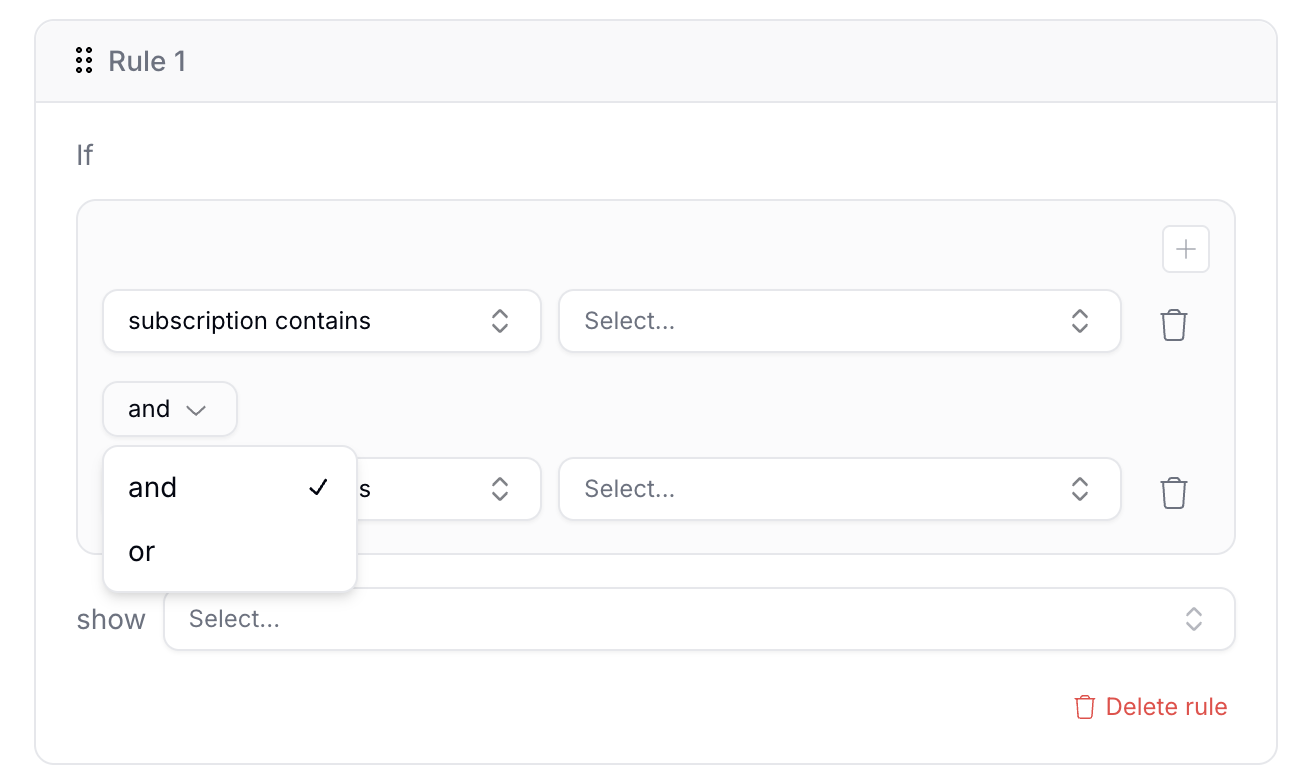
Rule-based logic
Recommendation rules use sequential rule processing to build your recommendation list:
Rule execution order: Rules execute in the order you set them.
Product count limit: Processing stops when your target product count is reached.
Rule skipping: If an early rule fills your product grid, subsequent rules will not execute.
Example scenario
If you have a 3-product grid with 3 rules:
Scenario A: Each rule returns 1 product, so all 3 rules execute.
Scenario B: The first rule returns 3 products, so rules 2 and 3 are skipped.
Best practices
Order your most important rules first.
Use the "Filter out products in subscription" option for a better customer experience.
Test your feeds with different customer profiles to ensure proper filtering.
Consider using catch-all rules to ensure your grid always has products to display.
This feature builds on customer feedback requesting more control over product recommendations and addresses common use cases like excluding subscribed products and managing inventory visibility.