How to handle rate limits on large-scale campaigns
Last updated: May 5, 2026
Depending on your subscription integration, you may run into rate limits on campaigns. when using a subscription block, Zaymo makes call via the API every time the email is opened--sometimes multiple calls per open.
How do I mitigate the rate limits?
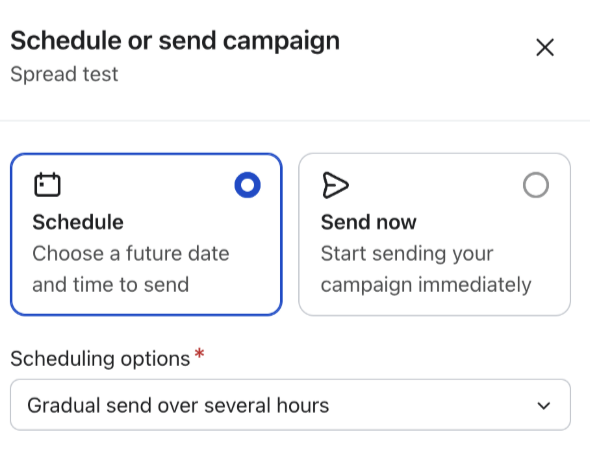
Some of Zaymo's integrations (like our integration with Recharge) allow you to add multiple keys to increase the limit. Others require you to reach out to the support at your subscription app to lift your API rate limit. Alternatively, you can split large campaigns into smaller segments using Klaviyo's gradual send feature.
For any questions, please reach out to Zaymo's support (support@zaymo.com)
How do I estimate the effect of rate limits on my campaign?
Below are a series of tables to help estimate the limits of your API keys. These are loose estimations; however, they should put you in the right ballpark to know whether you should update your rate limits for your subscription app's API.
Max recommended campaign size with given integration by block
Using several loose assumptions, we have built a chart estimating the max size of a campaign you can send with the default setup. If you plan to send a campaign greater than the limit below, please update your API rate limits. Otherwise, you may experience issues such as interactive content failing to load in emails or 404 errors on external Zaymo landing pages.
Static product block | Dynamic grid | Subscript-ion portal | Re-activate | Swap up | |
Recharge | 12,000 | 4,000 | 3,000 | 6,000 | 2,400 |
Recharge 5x3 key | 300,000 | 100,000 | 75,000 | 150,000 | 60,000 |
Skio | 10,000,000 | 10,000,000 | 3,333,333 | 10,000,000 | 10,000,000 |
Stay AI | 2,000,000 | 2,000,000 | 2,000,000 | 2,000,000 | 2,000,000 |
Ordergroove | 600,000 | 300,000 | 133,333 | 133,333 | 133,333 |
Loop | 30,000 | 13,000 | 15,000 | 12,000 | 30,000 |
This does not account for block combinations, which could share some API calls with each other but may not
Rate limits by integration
Below are the per-minute rate limits for each integration.
Rate limit (calls per minute) | |
Recharge base (1x1) key | 120 |
Recharge max (5x3) key | 600 |
Skio | 100,000 |
Stay AI | 20,000 |
Ordergroove | 6,000 |
Loop | 300 |
If you message support at Recharge, you can upgrade to the 5x3 API keys. If you do so, create new keys after confirmation from support
Calls per block when email is opened
Below estimates the number of calls needed for each integration depending on the block used in the campaign.
Static product block | Dynamic product block | Subscript-ion portal | Re-activate | Swap up | |
Recharge | 1 | 3 | 4 | 2 | 5 |
Skio | 1 | 3 | 4 | 2 | 1 |
Stay AI | 1 | 1 | 1 | 1 | 1 |
Ordergroove | 3 | 2 | 5 | 5 | 5 |
Loop | 2 | 2 | 2 | 3 | 1 |
What do I do if I am concerned with rate limits?
Zaymo is not familiar with the process every single app's rate limits. However, we are familiar with Recharge. If you have another integration, you should reach out to your app's support team. However, we're happy to help. Just message suppport@zaymo.com.
Recharge
Below are the steps to increase the rate limits on your Recharge API.
How to increase Recharge API rate limits
If you plan to send one-click Zaymo campaigns to more than 2,000 people at once, you may hit rate limits. Add the following steps to mitigate this:
Reach out to Recharge support to update your API keys to 5x3 keys
Create the Zaymo key only once support has confirmed the update
Create several API keys (may need to ask support to raise your limit)
Add the new keys to Zaymo under the Advanced tab on the Recharge integration modal
Each 5x3 will allow Zaymo to handle 600 email opens per minute. Plan accordingly