Recharge
Last updated: May 19, 2026
The Recharge integration enables the use of subscription management blocks. Prior to setting up Zaymo's integration with Recharge, please ensure your Klaviyo account is integrated with Recharge.
This integration should take <5 minutes.
Recharge can only be set up by an account owner or someone with access to API tokens
What does the Recharge integration unlock?
Zaymo's Recharge integration unlocks the following blocks:
Delay
Send now
Swap variant
In the product block and product grid blocks, this integration also unlocks the following one-click actions:
Add one-time
Add to subscription
Create new subscription
Actions taken through Zaymo (including reactivations) update Recharge immediately and appear in Recharge activity logs with timestamps. Zaymo also logs these actions in analytics and can send in‑email interaction events to Klaviyo if the integration is enabled, allowing you to track and segment customers who have reactivated or taken other actions.
Features unique to the Recharge integration
Detailed order summary - The Recharge integration unlocks this unique feature to allow a more detailed breakdown of a recipient's upcoming order in the subscription portal
Custom button - This additional block is simply a button that can be hooked up to several different actions in Recharge. By default, this button allows adding a discount to an upcoming order
Reactivation + upsell strategy - Combine the Reactivate block with Product blocks in the same email to enable customers to both reactivate their subscription and add additional products in a single interaction. Use the one‑click actions (Add to subscription, Add one-time, or Create new subscription) on Product blocks to allow customers to attach extra items during reactivation.
How do I set up the Recharge integration?
The Recharge integration requires you to first integrate Shopify.
Rate limits
If you plan to send one-click Zaymo campaigns to more than 2,000 people at once, you may hit rate limits. Add the following steps to mitigate this
Reach out to support to update your API keys to 5x3 keys
Finish integrating once support has confirmed the update
Create several API keys (may need to ask support to raise your limit). Use this article to estimate the number of keys needed
After connecting to Recharge, click edit in the Recharge integration modal to add more keys
Each 5x3 will allow Zaymo to handle 600 email opens per minute. Plan accordingly
Click Connect on the Recharge tile in the integrations page. The shopify domain field should be filled in. Just click "Connect to Recharge". You need to sign in to Shopify, then you will be asked to install the Zaymo-Recharge app. Click install and within a few seconds you will be connected. Open the Recharge integration modal again if you have more keys you would like to add.
How to create additional API keys:
Step 1: Log into Recharge and navigate to Apps > API Tokens.
Step 2: Click on Create an API token. Name the token and enter your email.
Step 3: Assign the following permissions to the token with read and write access.
Customers
Discounts
Orders
Payment methods
Plans
Products
Subscriptions
Store info (read access only)

Step 4: Check the box at the bottom and hit Save.
Step 5: After successfully creating the API token, locate the Zaymo token and copy the API key.
Step 6: Switch to the Zaymo platform and log in. Navigate to Integrations > Recharge > Connect
Step 7: Paste the copied API key.
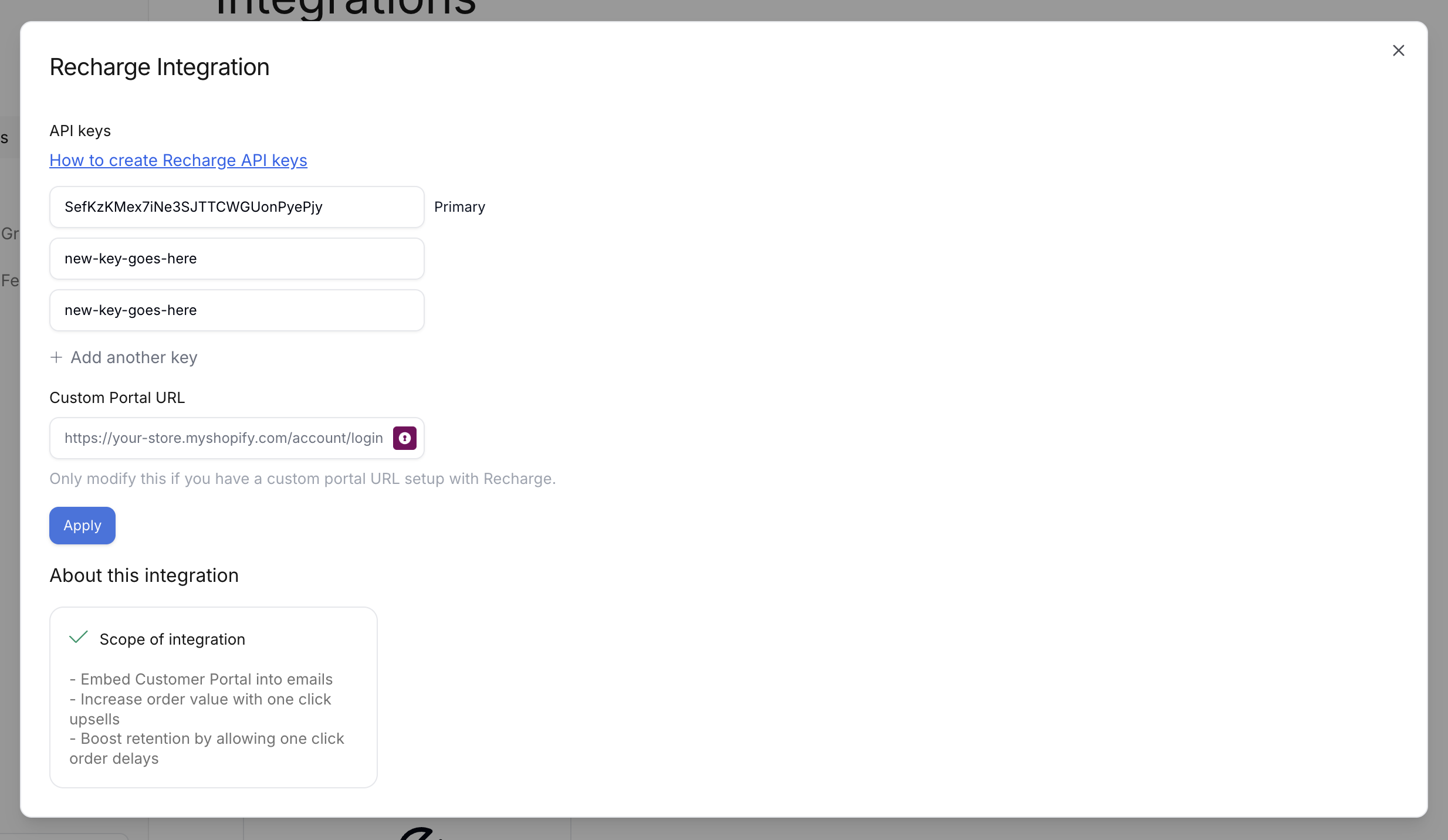
Step 8: Click apply, we will test all your keys to make sure they're working.
Step 9: Open the modal again to see updated numbers for max campaign size