Enable in-email purchases for one-time purchasers (not subscribers)
Last updated: April 14, 2026
This functionality is only available to Shopify Plus stores using a subscription app
Overview
Zaymo can only offer in-email purchasing to those with a card on file. That means, in the Shopify ecosystem, only subscription customers can purchase in the email. One-time purchase (OTP) customers cannot purchase directly in the email.
By storing payment information for one-time purchasers via your subscription app, Zaymo can enable in-email purchasing and subscription creation, increasing the conversion rates of follow up emails.
Value
Zaymo's conversion rate boost for customers with a card on file is typically ~75%. For OTP customers, it's only ~10%. By having a card on file for every customer that checks out, you can enable similar email conversion rates for repeat purchasers.
How it works
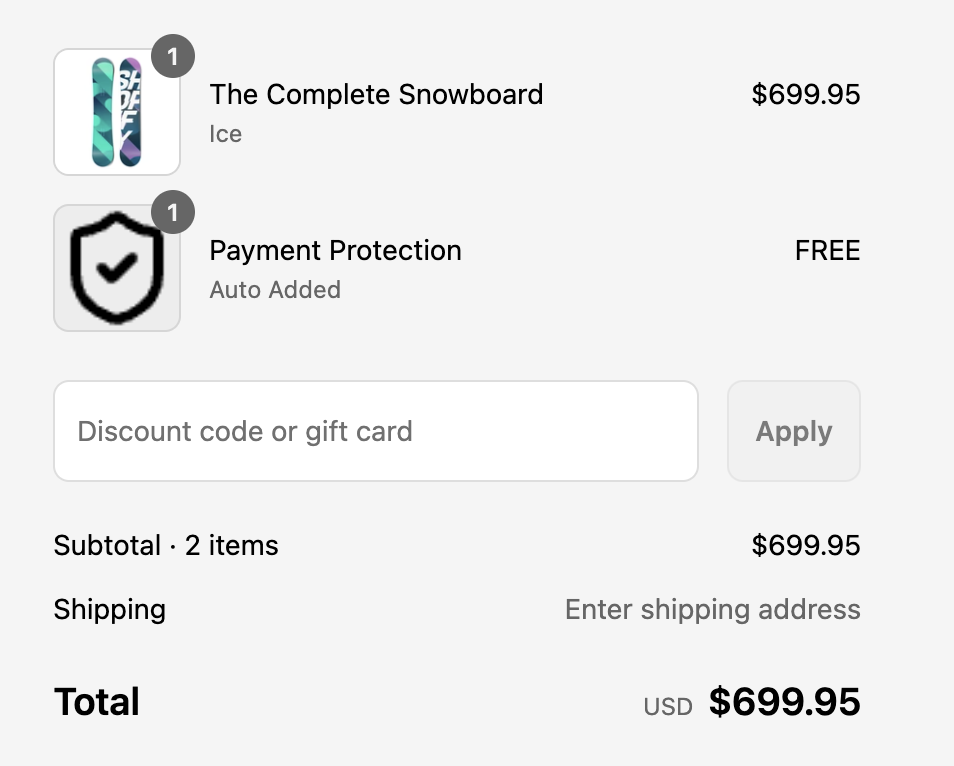
In order to store payment information for one-time purchasers, Zaymo automatically adds a free, non-recurring subscription product called Payment Protection to every checkout. This creates a profile in the subscription management software (Recharge, Skio, etc) for the customer so Zaymo can use that profile for future in-email offers.
You will add Zaymo to your Shopify store, and we will install a private app that automatically adds this free subscription product to every order.
Potential concerns
Is this add-on product going to spook customers?
It shouldn't have a material impact, but this is experimental, and we don't know. Zaymo decided that Payment Protection was the most boring and least concerning name for a free product that saves payment information. However, we are happy to change the product to be more in line with your brand.
How will this affect subscription analytics?
This will affect subscription analytics. We can likely find ways to make this better in the future, but to join the alpha program, this is a cost you will have to incur. Some known impacts:
Increase in new subscriptions: OTP customers are now technically subscriptions (even if only temporarily)
Increase in passive churn: Since these subscriptions automatically cancel, passive churn numbers will be inflated
Will OTP purchases have the fee from my subscription app?
Not if you are a Skio, Loop, or Recharge customer. Skio, Loop, and Recharge have graciously offered to waive the fee for this scenario as long as we let them know the product ID of the free product
For all other subscription apps, yes. This is an extra cost you will incur. We think the cost is worth a limited test, but depending on your setup, it may be a reason not to move forward (or consider Skio/Loop/Recharge!)
Set-up
Step 1: Approve Shopify partner access for "daniel@getzaymo.com"
The Zaymo team will use this access to set up a $0 product with a non-recurring selling plan.
Steps
For Skio brands - add daniel@getzaymo.com to Skio as a Member
Check if your shopify store requires a collaborator access code. If so, send it to the Zaymo team. This is found under Settings -> Users and permissions -> Collaborators
Zaymo will request partner access with only the necessary permissions
Approve the partner access request under Settings -> Users and permissions
This "ghost" product will:
Not be visible in your online store or any other sales channel
Not charge the customer anything
Cancel future subscriptions immediately
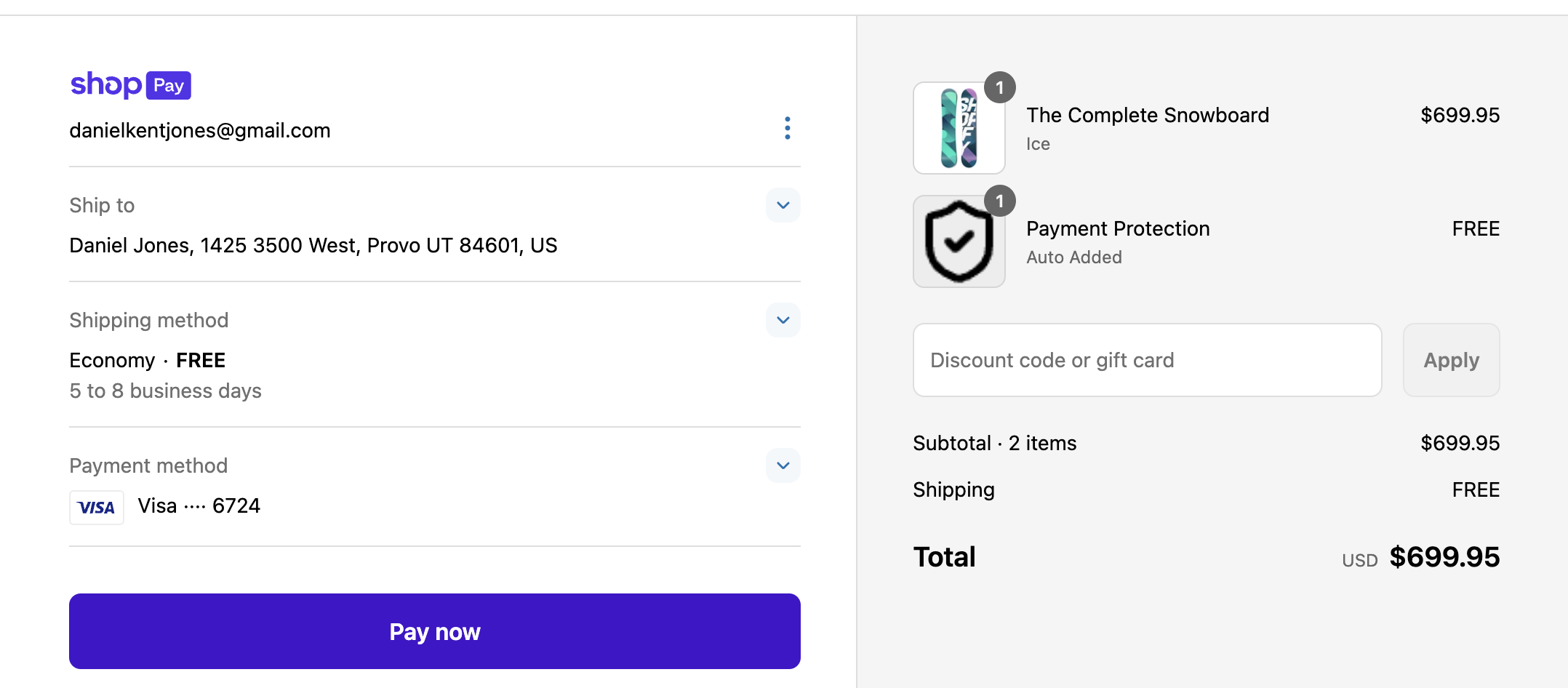
Be named "Payment Protection - Auto added" so as to not affect checkout completion rates
The Zaymo team will also create a duplicate of your current checkout where you can preview and test the new functionality.
Step 2: Test
In the test checkout environment, the "ghost" product should be automatically included in any order that doesn't already contain a subscription.
Step 3: Go Live
Publish the new checkout page and start collecting payment info!
Usage
Once payment credentials are stored, there is a lot you can do with them.
Post-Purchase Flows
You can keep your current post-purchase flow and include a Zaymo Product Block prompting customers to:
One-tap repurchase the same product
One-tap try a different product
One-tap upgrade to a subscription
When configuring the Zaymo Product Block, ensure the purchase option is selected on the right-hand side of the block settings. As long as a selling plan exists for the product, you'll find subscription options available there.
AI Powered Recommendations
You can let Zaymo's AI predict the timing and content of the offer, automatically targeting customers with either a refill or subscription offer at the optimal time.
Impact
Subscription Analytics
You’ll see some shifts in how your subscription metrics behave:
Increase in new subscriptions: OTP customers are now technically subscriptions (even if only temporarily)
Increase in passive churn: Since these subscriptions automatically cancel, passive churn numbers will be inflated
Case Studies
Section coming soon.
FAQ
Section coming soon.
Troubleshooting
Subscribe & Save option not displaying in product block
If the "Subscribe & Save" option isn't appearing in your Zaymo product block (showing only product variants):
Open the product block settings in your email template
On the right-hand side, verify that the purchase option is selected
Confirm that a selling plan exists for the product you're promoting
The subscription option will only appear if a valid selling plan is configured for that product.
Need Help?
If you run into any issues or want assistance configuring your Checkout Functions, reach out to our support team at [support@zaymo.com].