How to export an interactive email to Klaviyo
Last updated: July 10, 2026
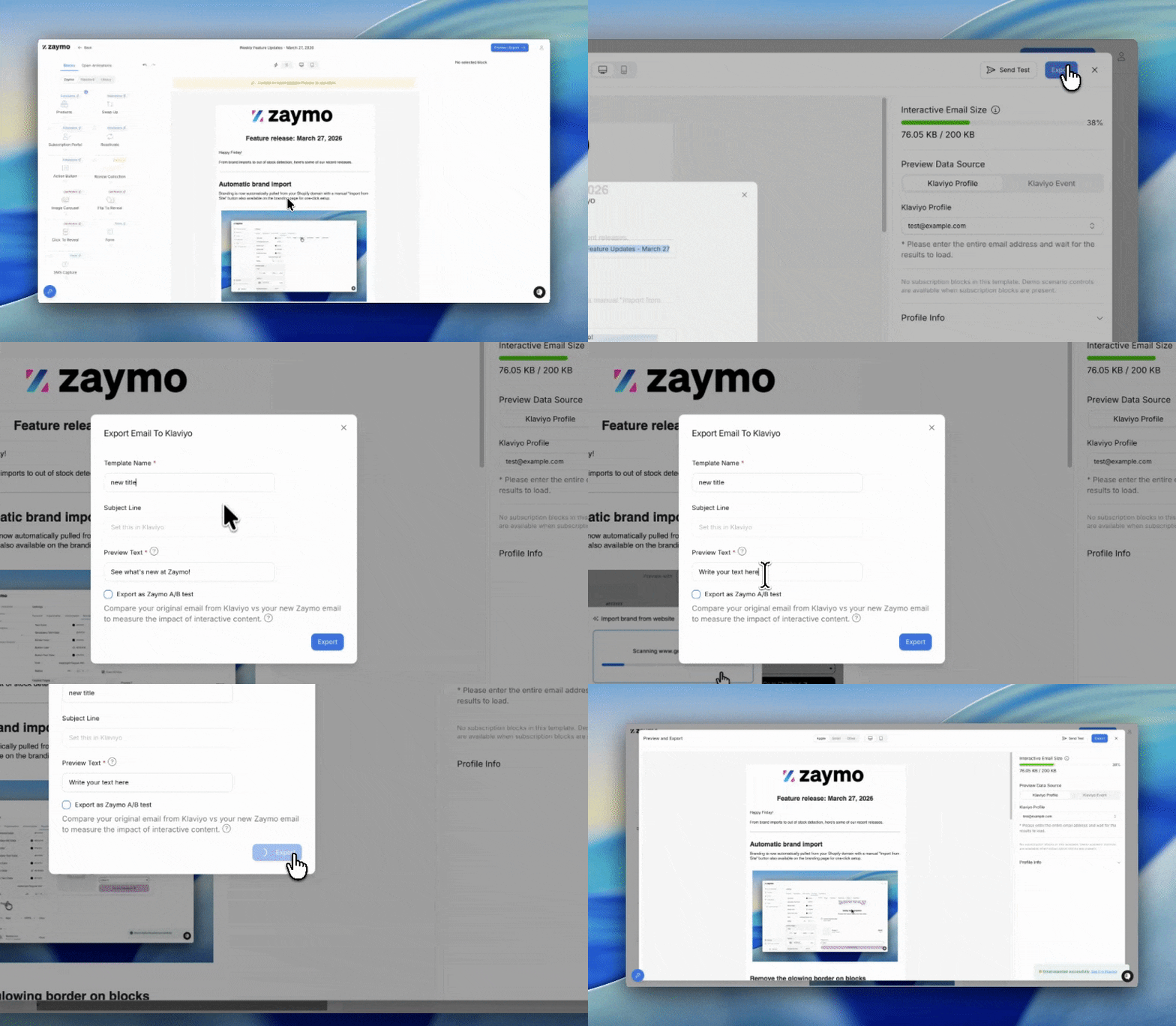
Open email template
Click "Preview/Export" in the top right
Verify email content is how you would like to have it shown
Click "Export" in the top right corner
Change title (if desired)
Write your preview text now. You are NOT able to edit this in Klaviyo later
When setting up your campaign in Klaviyo, the Preview text field will appear grayed out and may not display any text. This is normal behavior; the preview text you entered during export from Zaymo will be displayed when the campaign is sent.
To verify the preview text is working correctly, send a test campaign to yourself.
To change preview text after export: You must update it in Zaymo and re-export. In Zaymo, open the template, go to Preview/Export, set the new preview text, export to Klaviyo, then replace the existing email in Klaviyo with the newly exported version.
If you want to run an A/B test, check the A/B test box.