Analytics - message page
Last updated: April 1, 2026
What is the purpose of the message view?
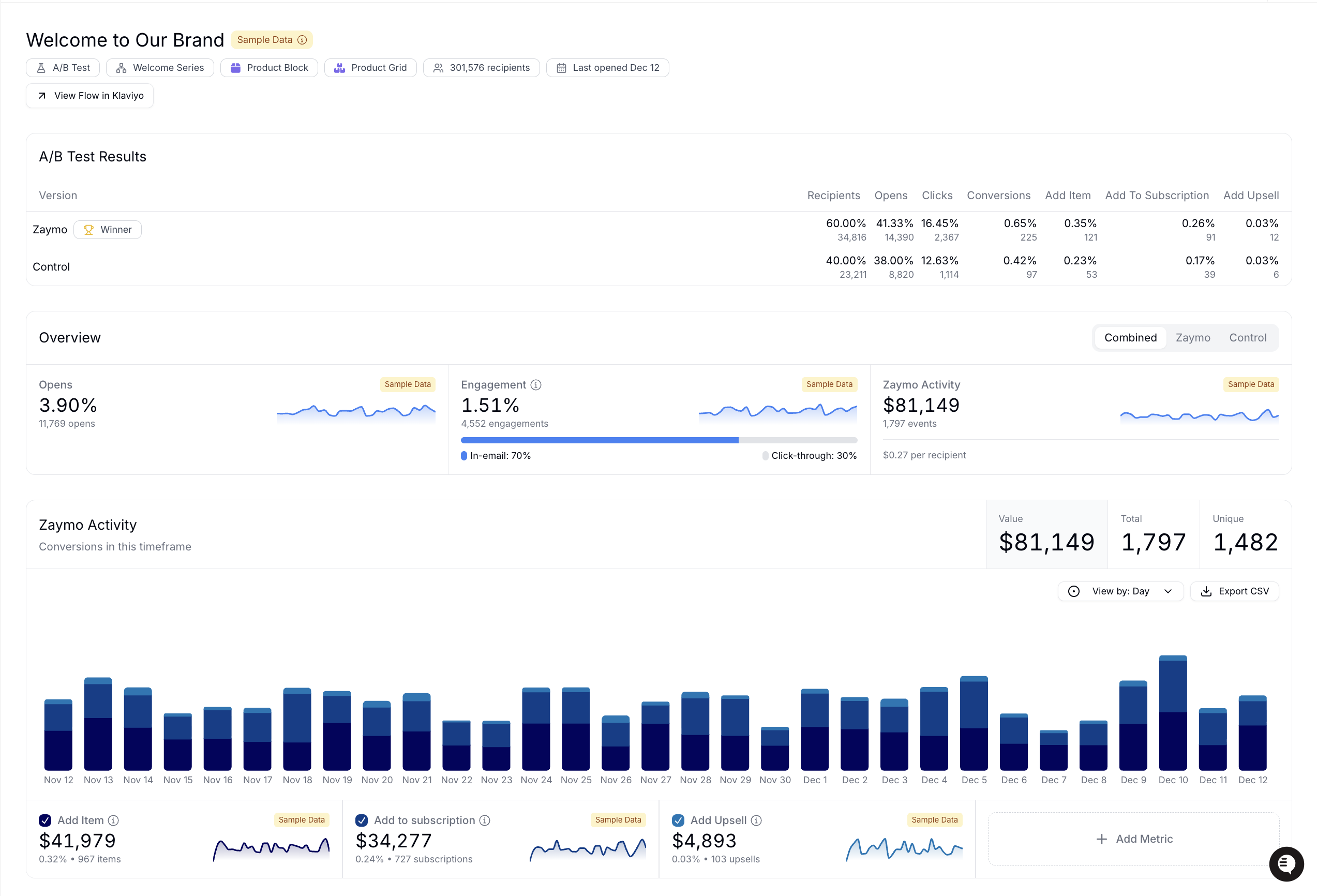
The message view lets you see how an individual message with Zaymo enabled is performing. It shows
interaction summary
Zaymo events attributed to the message
In-template A/B test results
Message header
The message header pulls the message name from Klaviyo. It also shows the following data:
A screen grab of the exported interactive template (not available for templates exported before May 15th, 2025)
Status of message in Klaviyo (Sent, live, draft, etc.)
Zaymo blocks included in the message
Total number of recipients of this message
The date the message was sent (for campaign messages) or set live (for flow messages)
The date the message was last updated
A link to view the message analytics in Klaviyo

A/B test results
The A/B test results section only appears of the message in question is using a template with a Zaymo in-email A/B test. The chart compares the Zaymo version vs the control version and shows the following data points:
Distribution: The percentage breakdown of recipients that saw each version
Recipients: The unique recipients who that saw each version
Opens: The unique open rate of emails for each version
Engagement: The engagement rate (clicks + in-email interactions) for each version
The table will also include other conversion metrics that you chose when exporting (see article on the Zaymo in-email A/B test).

Message overview
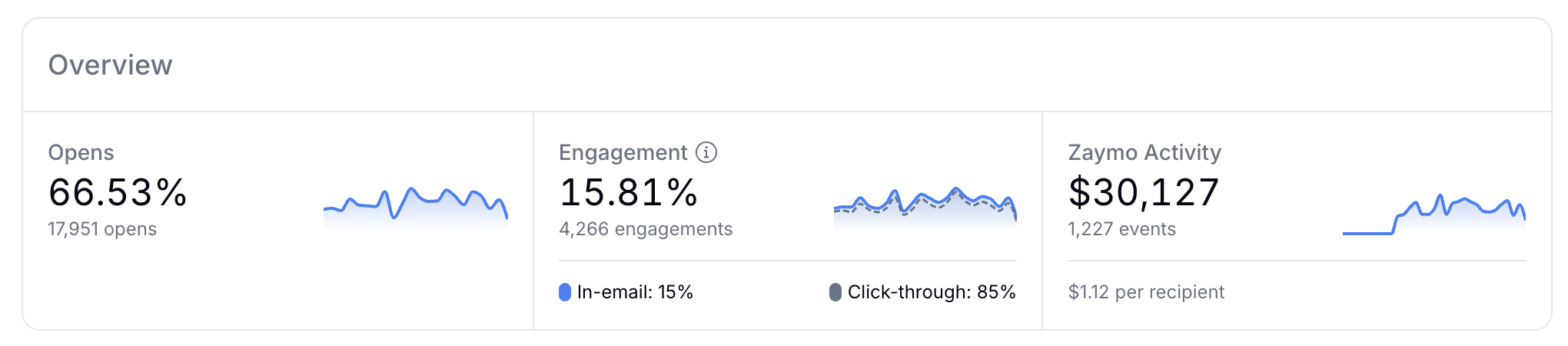
The message overview shows opens, engagement, and total Zaymo activity attributed to the message. Most of the data & attribution comes from Klaviyo.
Opens
The opens are calculated by taking total email opens divided by total recipients of this message.
Engagement
Engagement is made up of click-throughs and in-email interactions. Zaymo tells you the total engagement rate and also shows the breakdown of engagement: click-throughs vs in-email interactions
In-email interactions (%)
Calculation: Unique recipients who engaged with Zaymo without clicking through divided by total engagement
Click-throughs (%)
Calculation: Unique recipients who clicked through (whether or not they engaged in the email) divided by total engagement
Zaymo activity
The Zaymo activity card contains
The total currency value of attributed revenue-generating Zaymo actions
The total number of revenue-generating Zaymo actions
The revenue per recipient (currency value of revenue-generating actions attributed to this message divided by total recipients of this message)
Zaymo activity chart
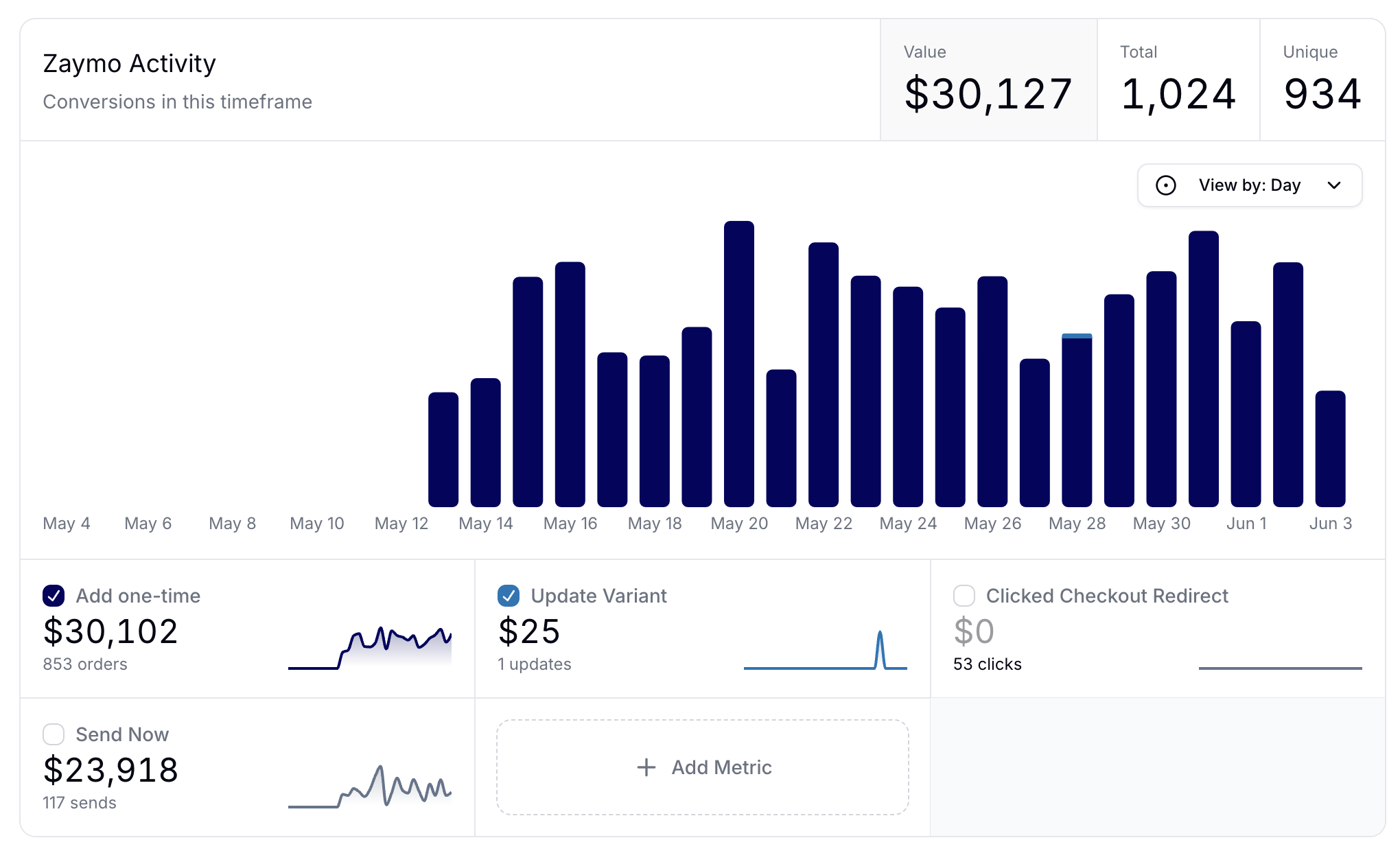
The message-level activity chart has the same settings as account-level activity chart. However, it only shows Zaymo actions that are attributed to the message in question. The example below shows action taken in an upcoming order reminder email that contained a Zaymo subscription portal and a Zaymo product grid, so it contains metrics like
add one-time
update variant
clicked checkout redirect
Send now
Metrics such as add one-time, swap item, and delay all have a breakdown section. When you view this you are able to see the product, metric count, and value added.
Add metric
Select add metric to pull in another from Klaviyo. For example, a Zaymo billing reminder notification typically reduces churn. It would be relevant to pull in the Recharge subscription cancelled metric to measure the cancellations attributed to this message over the selected timeframe. The metric does pull in historical data.
The data will not overlay on the stacked bar chart. Instead, it will live in the card below and show an independent sparkline.
Sample data
If you have no live emails, Zaymo populates sample data for you to preview. Read more about sample data for analytics.
Here is an example: